

Website indexing: how it works, how to check it and how to speed it up
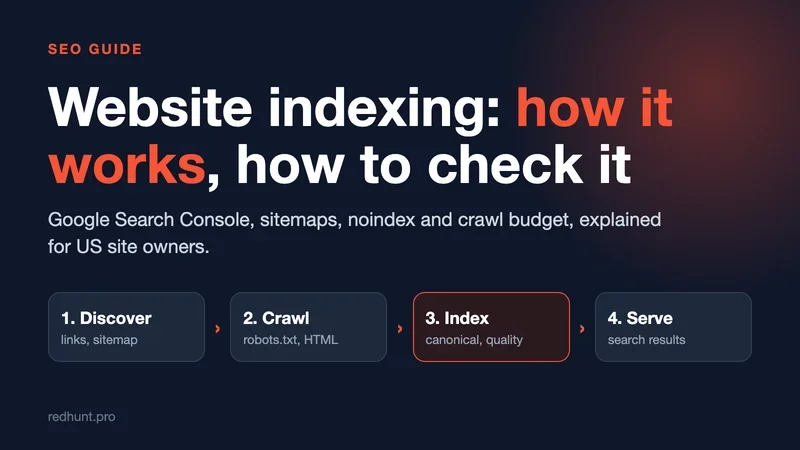
Publishing a page and getting traffic are two different things, and indexing sits in between. Until Google crawls a URL and adds it to its index, the page does not exist for searchers. Here is how indexing works, how to check a page in Search Console, and what to do when it gets stuck.

What is website indexing, and why is there no organic traffic without it?
Picture a library that just received a new book but never added it to the catalog. The book is on a shelf, and a reader who searches by title leaves empty-handed. A web page works the same way: it can be well written, useful and reachable by direct link, but if Google does not have it in its index, it cannot show up in search results.
Indexing is the whole path a page takes into a search engine's database: a crawler finds the URL, downloads the code, analyzes the content and decides whether to store it. That decision is made per URL. A site can be indexed in general while one product page or last week's article stays stuck. Those stuck pages are the expensive ones, because the ads, the copywriting and the design all work, but the page earns no organic visits.
Google describes three stages: crawling, indexing and serving results. It also says plainly that indexing is not guaranteed, and that low content quality or a robots meta tag that blocks indexing can keep a page out. The same page states that Google does not accept payment to crawl a site more often or to rank it higher, so no vendor can sell you a shortcut.
The web is effectively infinite, so Google spends a limited amount of time on each site. The practical conclusion is simple: prepare a page to get into the index instead of waiting and hoping.
A page's path from publishing to search results
It starts with discovery. According to Google, pages are found in three ways: it revisits URLs it already knows, it follows links from known pages to new ones, and site owners submit sitemaps. A page with no incoming links and no sitemap entry can stay invisible for months.
Next, the crawler checks what it is allowed to fetch. Your robots.txt file sits in the site root and tells crawlers which URLs they may access. Google is explicit that robots.txt is not a way to keep a page out of Google: a blocked URL can still appear in results if other sites link to it. To keep a page out, use a noindex rule or password protection.
Then Googlebot reads the HTML and, if the page returns a 200 status, queues it for rendering, where a headless Chromium runs the JavaScript before indexing, as described in Google's JavaScript SEO basics. Two details from that guide matter in practice: Googlebot only discovers links that are real links (an a element with an href), and a single-page app should return proper status codes (404 for a missing page) instead of showing an error message on a page that answers 200.
Here is a hypothetical example (not a real case). A boutique in Austin launches a new site built as a single-page app. The category pages load their product grid only after a script runs, and the menu links are click handlers rather than real links. Search Console shows pages as discovered but thin, and nothing ranks. The fix is the one Google's guide points to: real links, a unique <title> and server-rendered text for the pages that matter, then a check in URL Inspection that the rendered HTML contains the content.
A sitemap speeds up the first crawl. Google accepts XML, RSS/Atom and plain-text sitemaps; one file is limited to 50 MB uncompressed or 50,000 URLs, and larger sites split it into several files under a sitemap index. Google ignores priority and changefreq, and it uses lastmod only when the value is consistently accurate, meaning the date of a significant change, not a copyright-year edit. The same page calls a sitemap a hint: submitting it does not guarantee that Google will crawl every URL in it.
After crawling, the engine decides whether the page deserves a place in the index. This is where duplicates and empty templates get filtered out. Search engines do not publish the exact weights, but the working rule is clear: every page needs its own text that answers a specific query.
How to check whether a page is indexed
A ten-second check: type site:yourdomain.com into Google and see how many URLs appear. That gives you a rough picture, but not the reasons.
For an exact answer, use Google Search Console. First verify ownership. A domain property covers every subdomain and requires a DNS record; a URL-prefix property covers one protocol and path and can be verified with an HTML file or a meta tag. Without verification, Google shows you nothing.
The Page indexing report shows a graph of indexed and not-indexed pages and groups the reasons. The ones you will meet most often:
- Discovered - currently not indexed: Google knows the URL but has not crawled it yet.
- Crawled - currently not indexed: Google fetched the page and chose not to add it, often a sign of thin or duplicate content.
- Duplicate without user-selected canonical: Google treated the page as a copy and picked another URL as the canonical.
- URL marked noindex and Blocked by robots.txt: a rule on your side is keeping the page out.
- Soft 404: the page says "not found" but returns a 200 status.
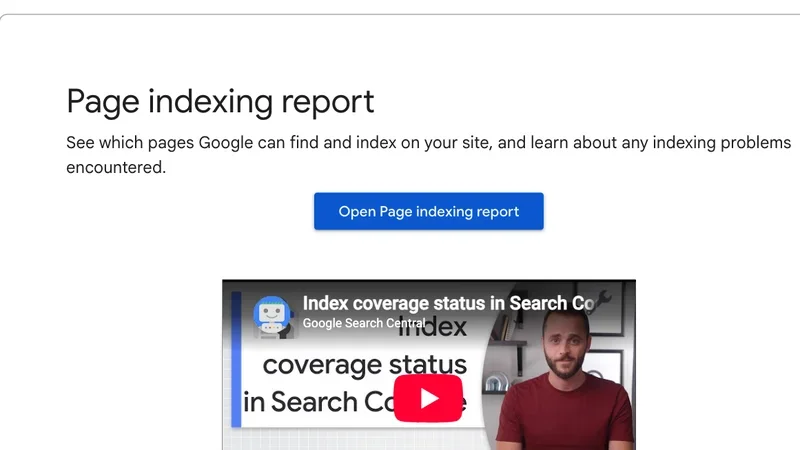
A dropdown in the report lets you filter by all known pages, submitted pages only, or one specific sitemap. That filter is the quickest way to answer "which pages from my sitemap are missing from the index?"
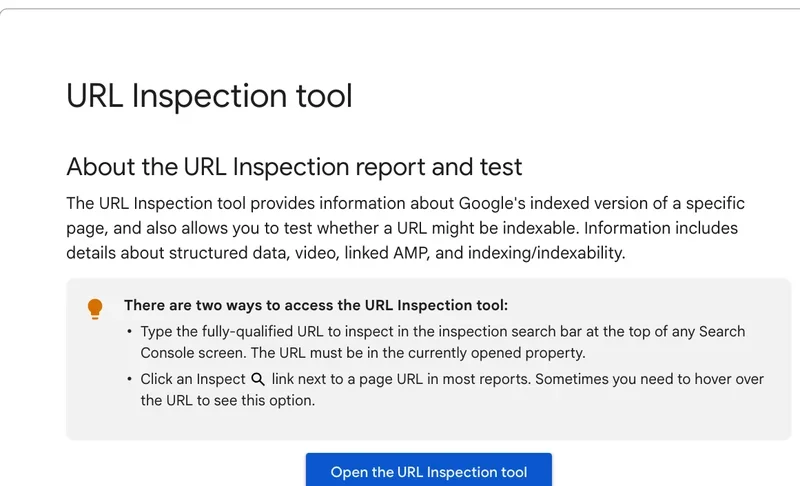
For one URL, use URL Inspection. It shows how Google sees its indexed version, and a live test shows whether the current page could be indexed. One caution from Google's own help page: "URL is on Google" means the page is indexed with no problems found, but it does not guarantee the page appears in results, because the tool does not check things like quality guidelines or manual actions.
Look at the share, not only the count. Suppose a plumbing company has 50 service and city pages and only 17 are indexed: 33 pages bring no one in, and each is a task. (Illustrative numbers.) Export the URLs from your sitemap and compare them with the report; every mismatch becomes a to-do item. If you need to check hundreds or thousands of URLs, the RedHunt Index Checker does it in bulk and exports the status per URL.
Bing deserves a quick setup too. In Bing Webmaster Tools you can import verified sites straight from Search Console: up to 100 at once, with ongoing ownership checks through your Google account.
Why pages are not indexed or drop out of the index
There are many reasons, but most come down to three: the page was blocked by accident, it duplicates other content (its own or someone else's), or the crawler never reached it.
The first one can be costly. Jeff Baker described in a Moz blog post how a code release at his agency, Brafton, put a noindex tag on every page. The release went out on Thursday evening, August 1, 2019, and he noticed on Sunday morning, August 4. The first week cost about 33.2% of search traffic, and he estimates the whole episode purged about 12% of organic traffic. Google's documentation explains why it hurts: when Googlebot crawls a page and sees the rule, it drops the page from results, even if other sites link to it. And the rule only works if the page is not blocked in robots.txt, because otherwise Google never reads the tag.
Our pages were marked for de-indexing.
Jeff Baker, Brafton, on the Moz blog
The second cause is duplicate or thin content. Here is a labeled hypothetical: a store imports 100,000 product cards from a supplier feed with the supplier's descriptions and no other text. Search Console fills with "Crawled - currently not indexed". Google's guide on consolidating duplicate URLs lists three tools: redirects (a strong signal), rel="canonical" (a strong signal) and sitemap inclusion (a weak signal). Canonicals are a preference, not a command, and Google may choose differently. For true copies that is enough, but for pages that are simply empty, nothing replaces unique text, specs, photos and answers that a buyer needs. Our ecommerce SEO guide covers product pages in more detail.
The third pitfall is a site move. Google's site move guide asks for a mapping document from every old URL to its new one, permanent redirects (301 or 308) for each, an updated sitemap in Search Console, and redirects kept for at least a year. For small and medium sites it can take a few weeks or more before Google gradually shows the new URLs. A move done without redirects is a classic way to lose traffic. If you are changing platforms, see also our guide to building a site on Tilda.
How to speed up indexing, and what to expect from each method
Expect to wait. IndexCheckr, a tool vendor, analyzed 16 million pages and found an average of 27.4 days for Google to index a page: 14% within the first week, about 65% within 30 days and about 77% within three months. Only around 37% of the pages in the sample were fully indexed. The data comes from URLs tracked in the vendor's own system, so your site will differ, but the lesson holds: do not expect results in a day or two.
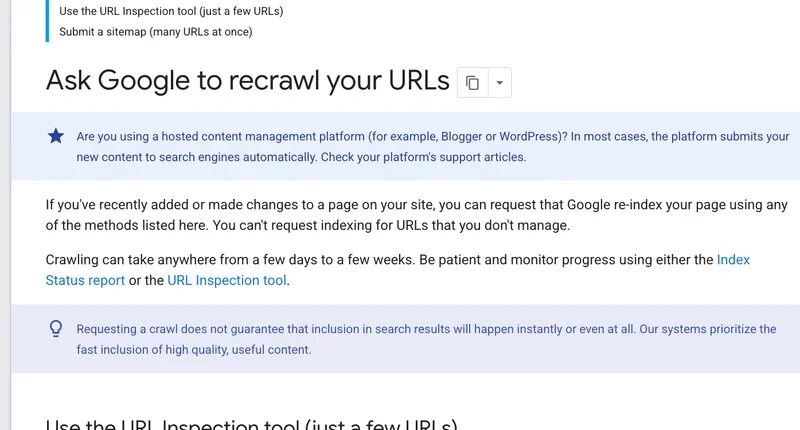
On Google there are two official ways to ask for a crawl. The help page on recrawling recommends URL Inspection for a few URLs (you must be an owner or full user of the property) and a sitemap for many. Crawling can take from a few days to a few weeks, there is a quota on individual submissions, and asking again for the same URL does not make it faster.
IndexNow works differently. Your system notifies participating search engines about new, changed or deleted URLs with a simple request, and a key file in the site root proves ownership. A batch can carry up to 10,000 URLs, but the protocol documentation warns that an HTTP 200 only means the URL was received, not that it will be indexed. The protocol was created by Microsoft Bing and is built into many CMS plugins such as Yoast, Rank Math and SEOPress. The sources I opened do not describe Google using it, so treat IndexNow as a Bing-side tool and keep sitemaps and Search Console for Google.
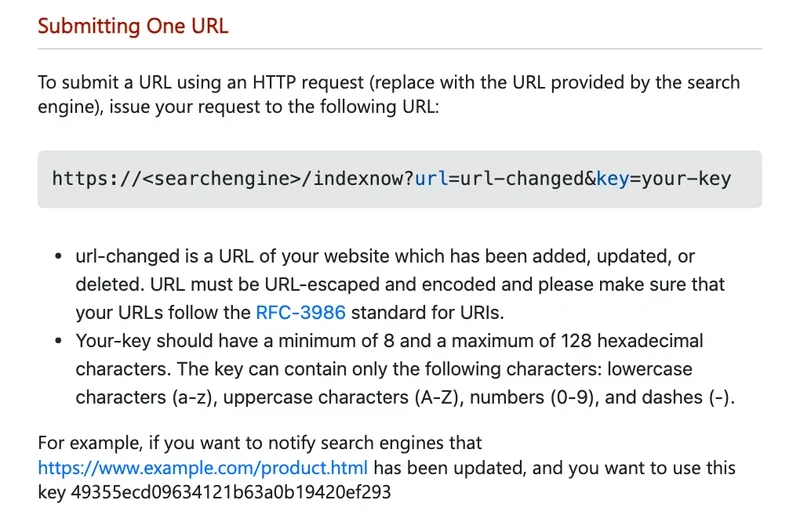
Bing Webmaster Tools also has a manual "Submit URLs" option. Bing's own announcement says the daily quota can reach 10,000 URLs, and it depends on site verification age, impressions and other signals; you see your own limit in the Submit URLs screen.
The table helps pick a method. They complement each other.
| Method | Where to set it up | What to know |
|---|---|---|
| Sitemap | Search Console, Bing Webmaster Tools, robots.txt line | Best for a new site or many pages; a hint, not a guarantee; keep lastmod accurate |
| URL Inspection, Request indexing | Search Console | For a few important URLs; daily quota; resubmitting does not speed it up |
| Submit URLs | Bing Webmaster Tools | Daily quota depends on the site; up to 10,000 URLs |
| IndexNow | Key file in the site root plus a CMS plugin or API | Notifies Bing and other participants at once; does not guarantee indexing |
| Internal links | Your own site | Links from prominent pages help crawlers find and prioritize the page |
Brafton tested the limits of manual requests. After the rollback, Baker uploaded a new sitemap and requested indexing of the core landing pages. One high-value product page did not come back for two months: he requested indexing fifteen times in a month, changed the publish date and the content, and resubmitted the sitemap, and it was indexed again on October 1. Search traffic recovered in about six weeks, and all pages were back after eight or more weeks. Once pages were re-indexed, their visibility was fully restored.
So the order is: remove the cause first, then request a recrawl once. The rest depends on links: the more internal links point to an important page, the sooner the crawler arrives.
Crawl budget: when it matters
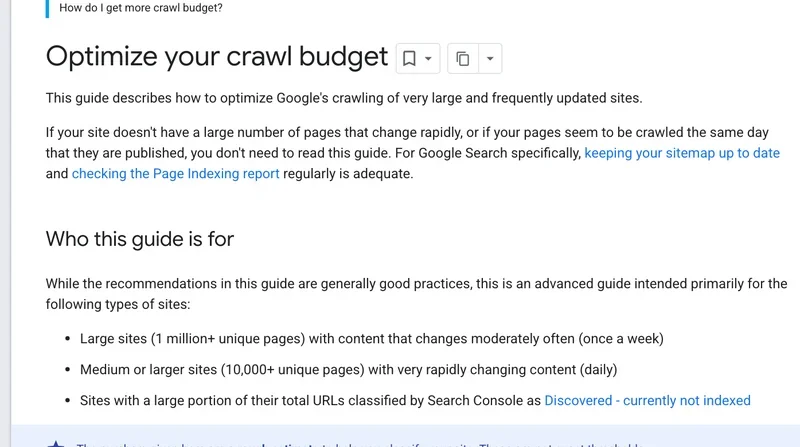
For small sites it barely matters. Google's crawl budget guide is aimed at sites with a million or more unique pages updated about weekly, sites with 10,000 or more pages that change daily, and sites with many URLs sitting in "Discovered - currently not indexed". For everyone else, Google says keeping the sitemap current and checking the Page indexing report regularly is enough.
For large sites, the guide recommends consolidating duplicate content, returning 404 or 410 for pages removed for good, fixing soft 404s, avoiding long redirect chains and keeping lastmod in the sitemap up to date. It also advises blocking unimportant URLs with robots.txt rather than noindex, because Google still has to request a noindex page before it drops it. Faster responses help too, and supporting a 304 Not Modified answer saves server work on unchanged pages.
Crawl rate adjusts on its own. If the server answers steadily and quickly, the capacity limit goes up; if responses slow down or return 5xx errors or HTTP 429, Google crawls less.
The usual trap for stores is faceted navigation. Here is a hypothetical: a clothing shop in Denver offers filters for size, color, brand and sort order, and the site generates a separate URL for every combination, so the number of crawlable pages jumps from a couple of thousand to tens of thousands while traffic stays flat. Google's guide to faceted navigation explains why: crawlers cannot tell whether such URLs are useful without fetching them, and the time spent there slows discovery of new content. Its recommendations, in order: disallow the filter parameters in robots.txt, return a 404 when a filter combination has no results, use URL fragments for filters (they do not affect crawling), and use rel="canonical" to the unfiltered category, which works but more slowly. Keep only categories and products in the sitemap.
A fifteen-minute weekly index check
Indexing is not a one-time setup. It needs watching like a store's cash register, and fifteen minutes a week is enough:
- Open the Page indexing report in Search Console (and the equivalent in Bing Webmaster Tools): the count of indexed URLs should not fall without a reason, and the not-indexed reasons should not grow.
- Compare sitemap URLs with the index: anything you want in search that is not there goes on the task list.
- After every release, check robots.txt and meta robots tags: an accidental noindex on all pages can cost weeks of traffic.
- Request indexing for new important pages once, and link to them from prominent sections of the site.
- Return 404 or 410 for deleted URLs and consolidate duplicates with canonicals or redirects.
Write the numbers from these reports into one spreadsheet each week. After a change you will see right away what worked. If indexed URLs fall sharply, start with robots.txt, meta tags and server response codes. The RedHunt meta tag parser shows the title, headings and robots directives of any page, which makes the second check faster.
One aside for sites that also sell in Russia or the CIS: Yandex has its own webmaster tools and was a co-creator of the IndexNow protocol with Bing, so one IndexNow notification reaches every engine that has adopted it. Everything else in this article applies to Google.
Frequently asked questions
How long does it take to index a website?
From a few hours to several weeks. Google says crawling can take anywhere from a few days to a few weeks after a request, and a new site without incoming links usually takes longer. Add a sitemap and internal links from the start, and do not resubmit the same URL over and over.
How do I add my website to Google and Bing?
Create a property in Google Search Console and verify ownership with a DNS record, an HTML file or a meta tag. Then submit your sitemap and request indexing for the main pages. In Bing Webmaster Tools you can import the verified site from Search Console in a few clicks. Without verification, neither tool shows indexing data.
How many URLs can I submit for indexing?
Both have limits. Google applies a quota to URL Inspection requests, and asking again for the same URL does not make it faster. Bing's daily quota depends on the site and can reach 10,000 URLs. Pick the important pages, submit them once and watch the status.
Why does Search Console know my page but it does not appear in search?
Most often Google knows the URL but treated it as a duplicate, an empty page or a low-value page. Check the reason in the Page indexing report, add unique content and internal links, fix technical errors and only then request indexing again. Remember that "URL is on Google" does not guarantee the page shows up for a given query.
Do I need IndexNow if I have a sitemap?
A sitemap describes the whole site, while IndexNow tells participating engines about one change right away. It is useful when pages change or disappear often, for example in a store with a rotating catalog. It does not guarantee indexing, and for Google you still rely on sitemaps and Search Console.
Should I use robots.txt or noindex to keep a page out of search?
For a page that should stay out of results, use noindex (or a password) and leave the page crawlable so Google can read the rule. Robots.txt alone can leave the bare URL in results if other sites link to it. For large sets of unimportant URLs, Google's crawl budget guide prefers robots.txt, because it saves crawling.
Дата публикации:
Теги
Задать вопрос
Вопросы и ответы
Пока нет опубликованных вопросов. Задайте первый — после модерации он появится здесь.
Вам также может понравиться
Все статьи
Ecommerce
SEO for an Online Store: Catalog Structure, Filters and Product Pages
SEO for a US online store: catalog structure, filter pages, duplicates and crawl, Product markup, Merchant Center free listings and trust signals.
Local business
Local SEO: How to Get Your Local Business Into Google Maps and the Local Pack
US local SEO: Google Business Profile, local pack, Apple Maps, Bing, Yelp, NAP and citations, location pages, reviews rules and a three-month plan.